
Source: Ordonauto
Selling a car online in Jordan usually starts with one question: which platform do I use? This guide skips that question. It assumes you already picked Ordonauto, the marketplace our review currently ranks first in Jordan for trust and seller support. It walks through what happens once you start listing a car there. That ranking isn’t a paid placement. It comes from how the platform treats sellers, and this guide shows exactly what that looks like, screen by screen, from the homepage to sending your car for review.
Two things this guide skips: pricing your car, and what happens once a buyer finds you. If you haven’t settled on an asking price yet, our guide to valuing your car in Jordan walks through that first, using real comparable listings instead of a guess. Once your listing is live and buyers start messaging, our broader guide to selling a car in Jordan covers vetting buyers, meeting safely, and the paperwork step known as ownership transfer. We also cover that transfer step on its own in our guide to car ownership transfer in Jordan. This guide sits between those two. It’s purely about using Ordonauto itself: creating an account, filling in the form, and getting your car sent off for review.
If you’re coming at this as a buyer instead, trying to understand the same platform, we’ve written a matching walkthrough on buying a car through Ordonauto.
Visit Ordonauto
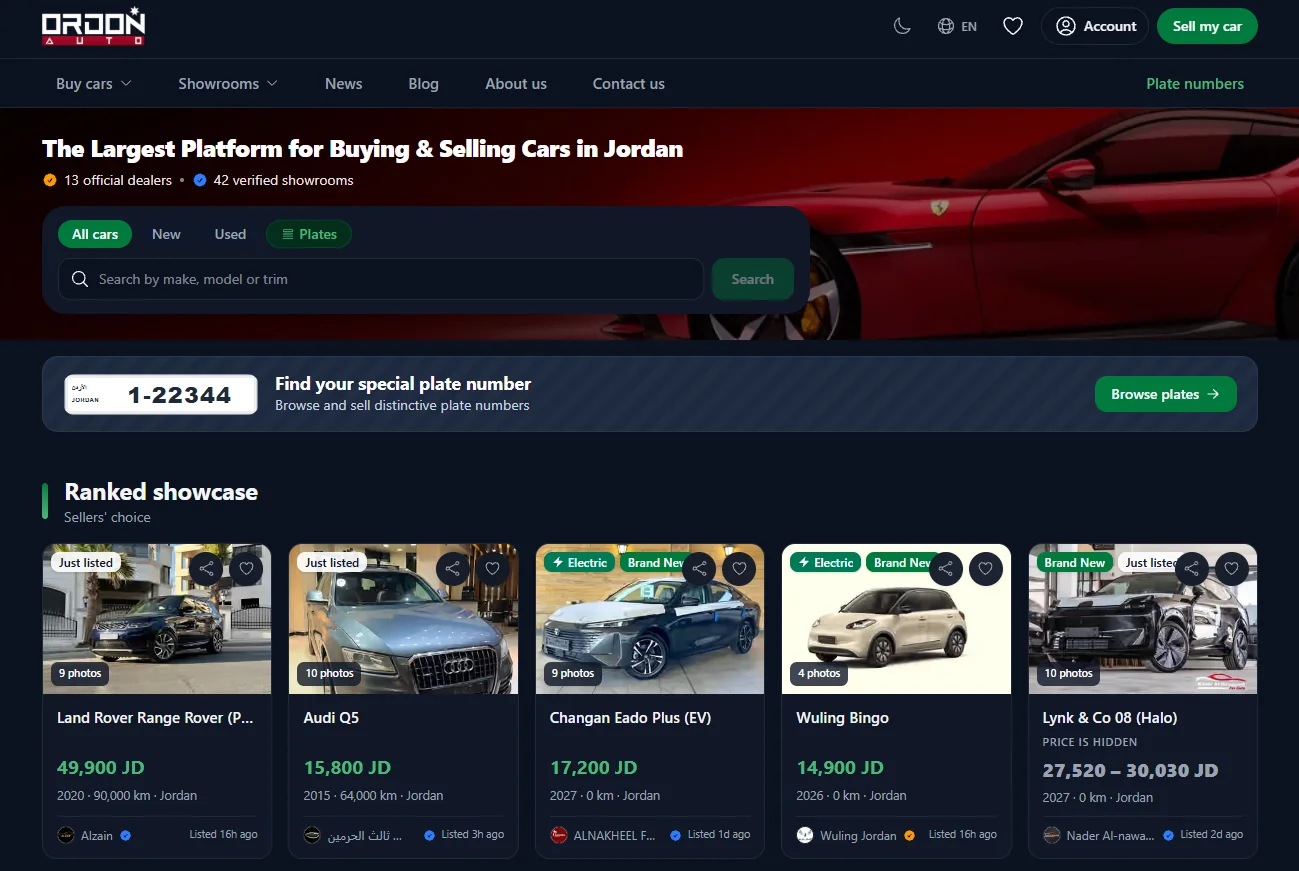
Open www.ordonauto.com in your browser. It works the same way on a phone or a computer. The layout just shifts a bit to fit the screen. The homepage shows current listings, a search bar, and the account and listing buttons you’ll use for the rest of this walkthrough.
Click “Sell My Car”
On the homepage, look at the top right corner. You’ll see a green “Sell my car” button next to the account menu. Click it to start the seller flow.
This button is the entry point for everything else in this guide. It’s the same button whether you’ve sold a car on Ordonauto before or you’re doing this for the first time.
Sign Up or Sign In
Clicking “Sell my car” takes you to the seller account screen. If you don’t have an account yet, choose “Sign Up” and fill in the registration form: your name, date of birth, email, phone number, and a password. If you already have an account, choose “Sign In” instead and enter your email and password.
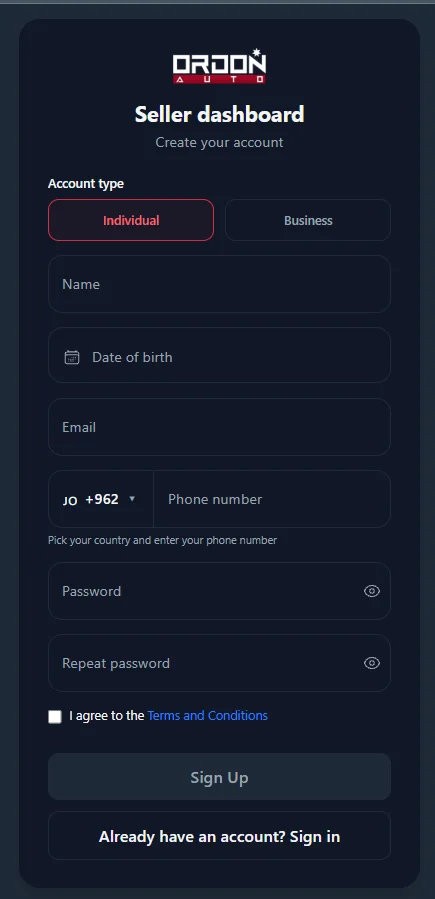
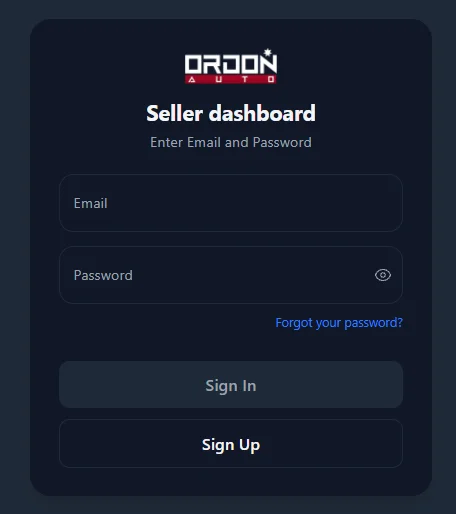
Use a real email and phone number here, not a throwaway one. Buyers generally reach sellers through the contact details tied to the account. This step isn’t just a login. It’s how people get in touch with you later.
Open the Seller Dashboard
Once you’re signed in, you land on the seller dashboard, labeled “Account center.” This is your home base for managing listings on Ordonauto. From here you can see your active listings, anything still in review, and a short checklist for finishing your seller profile.
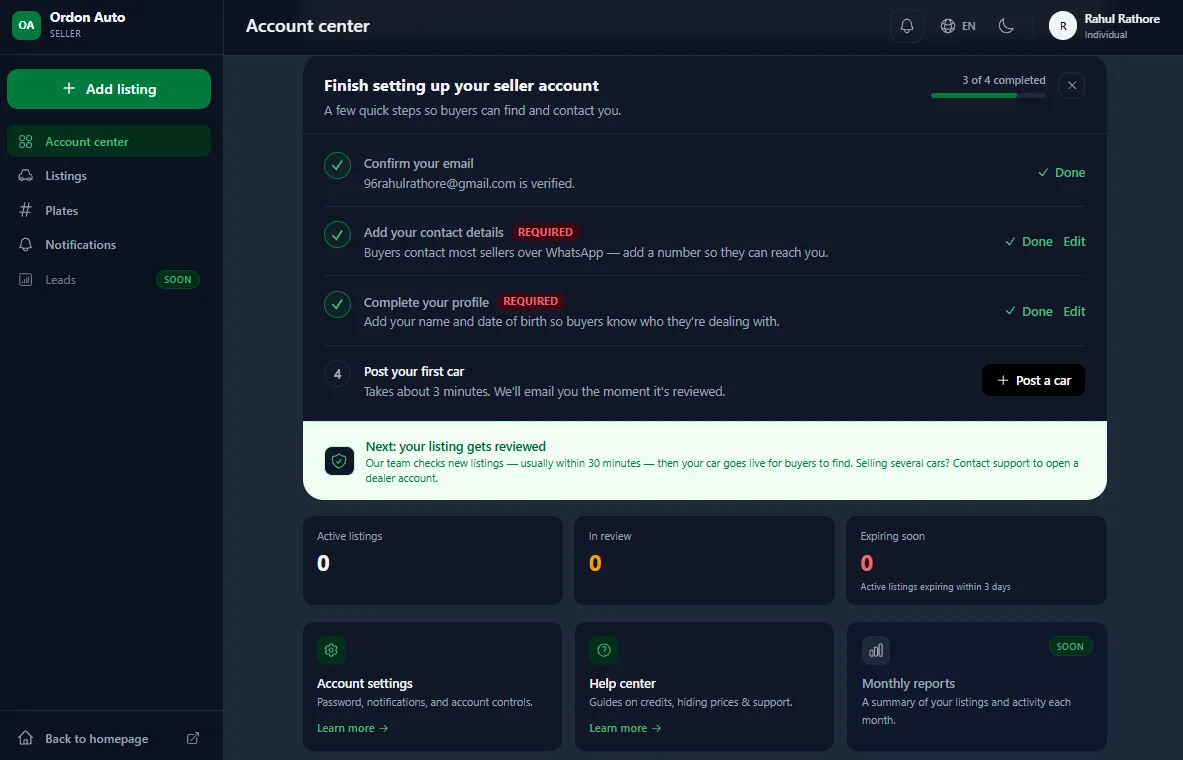
If your profile setup is incomplete, you’ll see reminders for it here too. Buyers generally reach out through the contact details in your profile. It’s worth finishing that setup before you post your first car.
Click “Add Listing”
To start your listing, click “Add listing” in the left sidebar of the dashboard. It sits above the other menu items, including “Listings,” “Plates,” and “Notifications.”
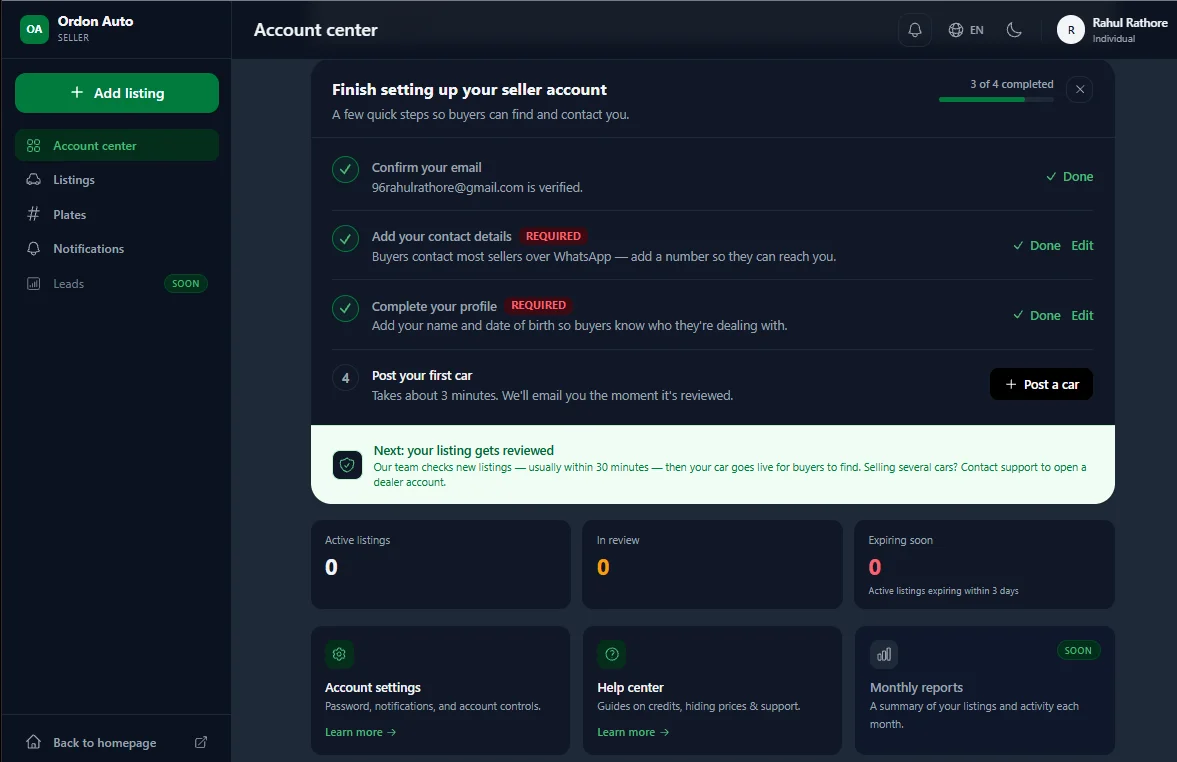
Clicking it opens the listing form. That form is where most of the real work in this guide happens.
Fill in Your Car Details
This is the longest part of the process. It’s worth taking your time here instead of rushing through it. You move through the form using the “Continue” button at the bottom of each section. You can generally go back to fix an earlier answer before you submit.
Upload Photos
The first section asks for photos of the car. At least one photo is required before you can publish the listing at all. Accepted formats are jpg, jpeg, png, webp, and heic, with a recommended aspect ratio for how the photos display.
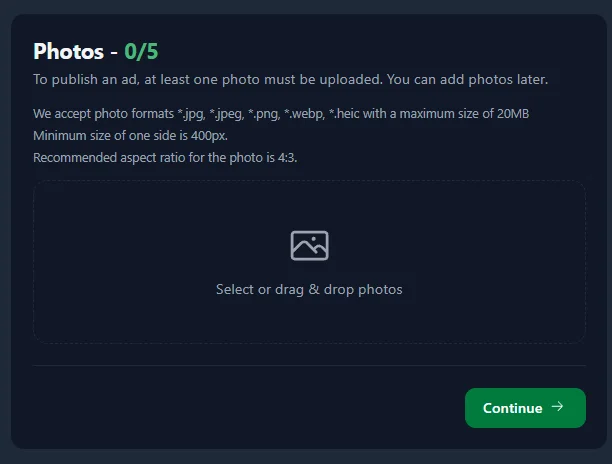
Photos do more work than any other part of the listing. A buyer decides whether to keep reading within a few seconds of seeing the first image. Clear, well-lit photos from several angles, taken in daylight rather than a dim garage, tend to get more genuine replies than one rushed shot. If you can, shoot the exterior from the front, back, and both sides, plus the interior and the odometer. None of that is required by the form. But it’s the kind of detail that turns a browser into a real inquiry.
Select the Make and Model
Next, choose your car’s make from a searchable grid of manufacturer logos, then select the specific model.
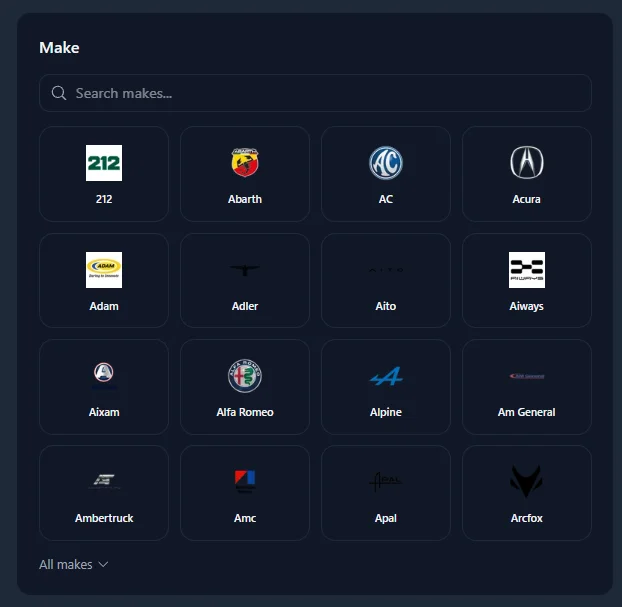
Getting this exact matters more than it seems. Buyers usually search by make and model first, before they look at anything else. An inaccurate entry here means the right buyers may never find your listing.
Choose Condition and Mileage
Here you mark whether the car is new (zero kilometers, never used) or used (a pre-owned vehicle), and enter the mileage in kilometers.
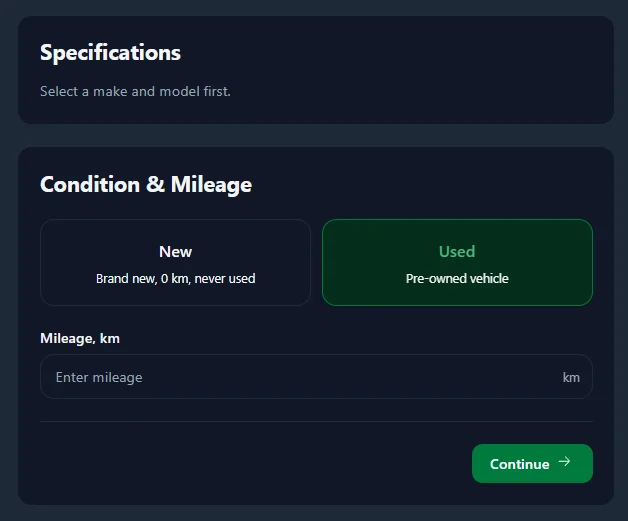
Be accurate here, not approximate. A mileage figure that doesn’t match the odometer, or the service records a buyer asks to see later, is a fast way to lose a buyer’s trust mid-conversation.
Select Features and Equipment
This section lists common features like ABS, air conditioning, cruise control, Bluetooth, a backup camera, leather seats, a sunroof, and navigation. There’s also an option to expand into more advanced features.
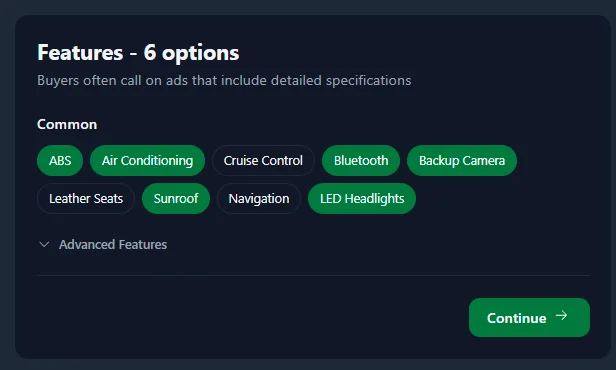
Select everything that genuinely applies. Detailed, accurate listings tend to rank higher and draw more serious interest. They answer a buyer’s questions before that buyer even has to ask.
Add Warranty Information
If your car still carries manufacturer or dealer warranty coverage, this step is where you note the expiration date and any mileage limit tied to it. If the warranty has already expired, or your car never had one, you simply select that and move on.
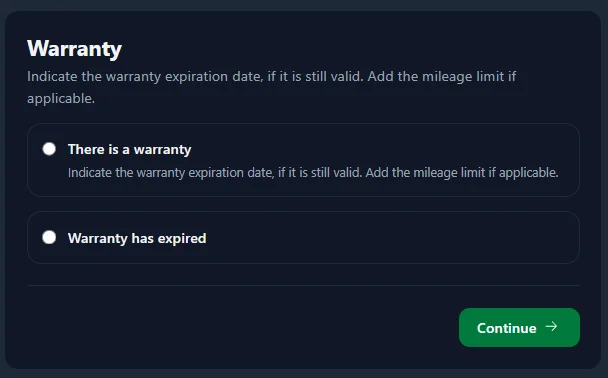
This field is optional for a reason. Plenty of used cars in Jordan simply don’t have active warranty coverage anymore, and that’s normal. Only fill it in if it genuinely applies to your car.
Enter the Price and Regional Specification
Enter your asking price in Jordanian dinars, mark whether it’s a cash price or negotiable, and select the car’s regional specification. Options include American, Canadian, Chinese, European, GCC, Japanese, Jordanian, Korean, and Other.
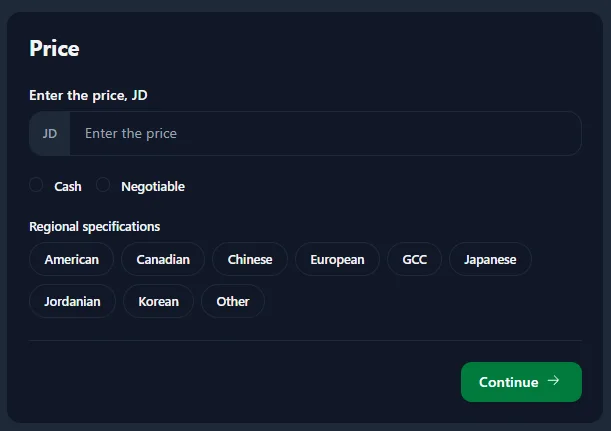
Regional specification is worth understanding. It isn’t just a formality. Cars built for different markets, sometimes called grey import vehicles when they arrive outside a manufacturer’s official local channel, can differ in parts availability and standard equipment. GCC-spec cars are generally built with the regional climate in mind, for example, while American or European spec cars often use different parts numbering entirely. Jordanian buyers often have a strong preference here. Getting this field right saves everyone time.
If you’re weighing a price and aren’t sure it’s realistic, this is exactly where our guide to valuing your car in Jordan is worth reading before you commit to a number.
Write the Vehicle Description
The last field before you’re done is a free-text description of the car.
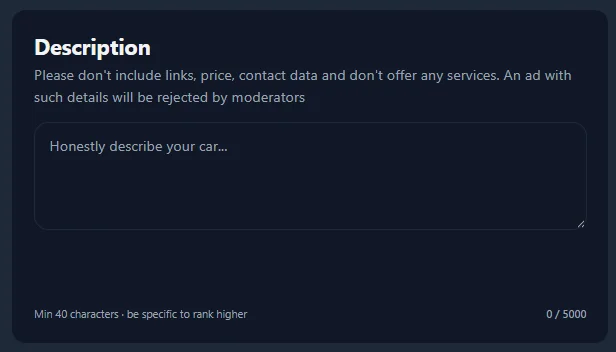
There’s a real rule attached to this field: don’t include links, price details, or contact information in the description. An ad that breaks this rule gets rejected by moderators instead of published. This isn’t an arbitrary restriction. Price and contact details already have their own dedicated fields elsewhere in the listing. Keeping them out of the free-text box keeps buyers using the platform’s own contact and pricing tools, instead of being routed off-platform into messages that are harder to trace if something goes wrong. It’s a small rule, but it’s part of what keeps listings on the site easy to trust and easy to compare.
Use the description for what it’s meant for: an honest account of the car’s condition, its service history, why you’re selling it, and anything a buyer would want to know before reaching out.
Submit the Listing for Review
Once every required field is filled in, click “Submit for review” in the bottom right corner of the form.
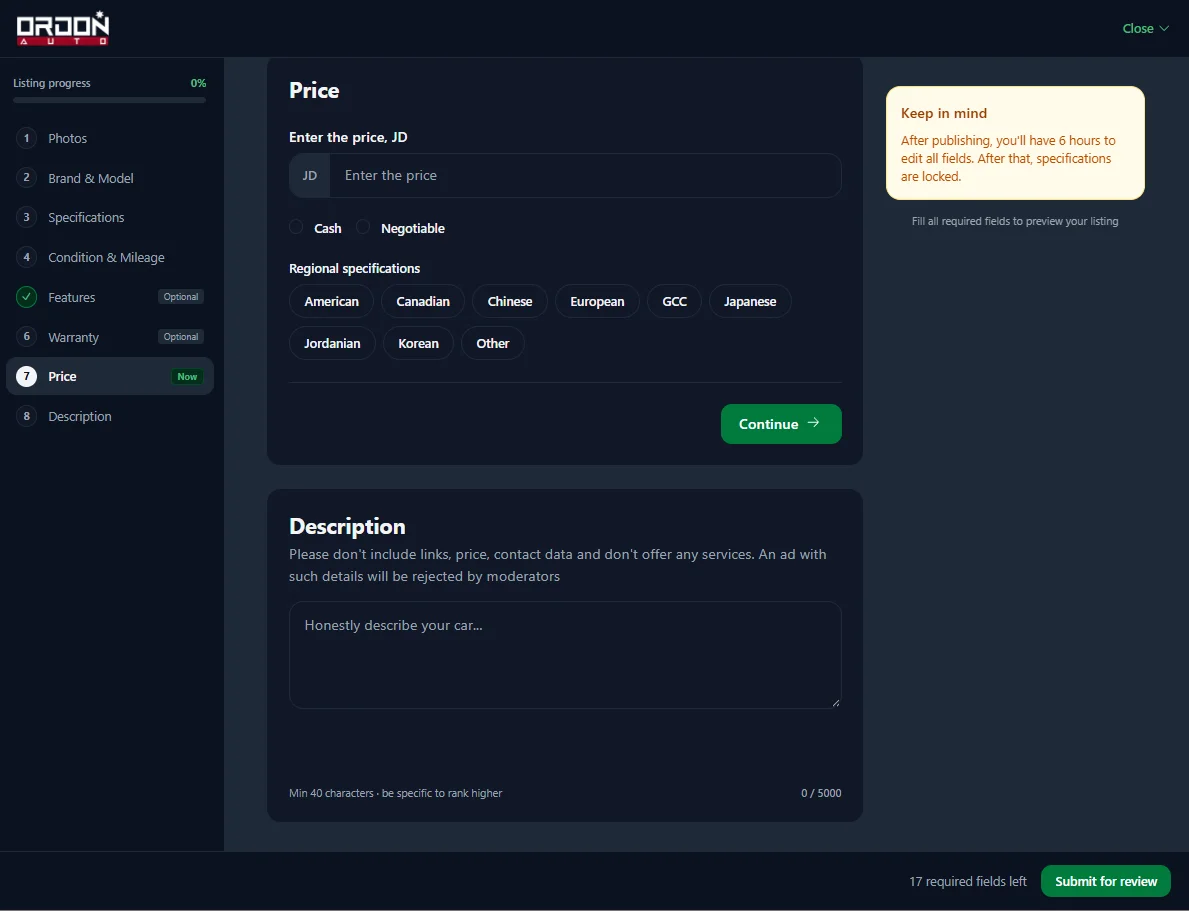
Your listing doesn’t go live the instant you click that button. It goes to review first. That’s a deliberate step, not a delay for its own sake. A review stage gives the platform a chance to catch obviously fake listings, duplicate posts, and ads that break the description rules covered above, before any of it reaches a buyer. For sellers, that review is also part of what makes the platform worth using. Buyers browsing Ordonauto have a real reason to trust that a live listing has already been checked once. That’s exactly the kind of trust our own Ordonauto review points to as the platform’s real strength.
Did You Follow the Steps?
Five quick questions on the real Ordonauto listing process covered above. Nothing is sent anywhere, this runs in your browser.
What Happens After Your Listing Goes Live
Getting your car onto Ordonauto is only the first half of selling it. Once your listing clears review and goes live, the real work starts. You’ll answer messages, tell serious buyers from casual ones, meet safely, and eventually close the deal.
None of that is covered here, on purpose. Our full guide to selling a car in Jordan picks up right where this one ends. It walks through spotting a serious buyer, common scam patterns to watch for, negotiating without underselling yourself, and finishing the ownership transfer so the car is legally off your name once it’s sold. If you skipped straight to this guide because you already had a platform in mind, that one is worth reading next.
A Few Tips for Photos and Descriptions That Get Replies
A couple of general habits go a long way, beyond what the form itself requires.
Shoot photos in daylight, not under indoor lighting, and clean the car first. A five-minute wipe-down before you shoot photos makes a bigger difference than almost anything else you can do. Get a shot of the odometer specifically. Buyers who see the mileage confirmed in a photo, not just typed into a field, tend to trust the rest of the listing more too.
For the description, write like you’re explaining the car to a friend who’s about to buy it, flaws included. Mentioning a known scratch or a service that’s due soon costs you nothing in the listing. It saves you a wasted viewing later, when a buyer notices it in person and wonders what else you left out. The Wikipedia entry on classified advertising covers the broader idea behind listings like this one: a clear, honest, structured description does more of the selling than length or enthusiasm ever will.
The Bottom Line
The Ordonauto process is seven real steps: open the site, click “Sell my car,” sign up or sign in, land on the seller dashboard, click “Add listing,” fill in the car’s details across photos, make and model, condition, features, warranty, price, and description, then submit for review. None of it is complicated on its own. The parts worth taking seriously are the ones that affect whether a buyer reaches out at all: real photos, an accurate mileage and specification, and a description that’s honest rather than vague.
Once your listing clears review, the platform side of this is done. What happens next, replying to buyers, meeting safely, and finishing the sale properly, is a different guide entirely. It’s the one worth reading before you agree to meet anyone in person.